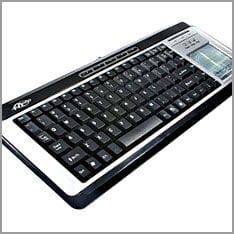
 A dirty keyboard doesn't look nice, but that's just one reason why it should be cleaned regularly. Dust accumulates under the keys, so that after a while they no longer work properly. Spilt liquids are the death of the keyboard if it is not cleaned.
How to clean the computer keyboard thoroughly in simple steps.

This is required for cleaning:
-
Compressed air in the spray can
-
Soft lint-free cloth
-
Cleaning agents for electrical appliances
-
Cotton buds
-
Dust mask if you are allergic to dust particles
Cleaning:
-
Firstly, switch off the computer and pull out the keyboard.
-
Clean between the buttons with compressed air, holding the spray can at a slight angle to loosen the dust and dirt.
-
Carefully shake out any loose dust from the keyboard.
-
Spray some cleaning agent onto the cloth and wipe the buttons and housing with it.
-
Moisten a cotton bud with a little cleaning agent and use it to loosen any dirt stuck between the buttons.
When the keyboard is completely dry again, it can be reconnected to the computer.