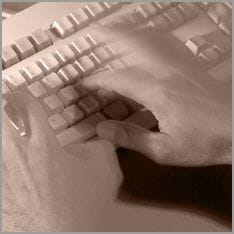

Fast typing on the keyboard is a basic requirement for many jobs. If you can't type that fast, you not only waste your time but also quickly lose the desire to write.
Read the following tips to improve your typing speed.
With time and a lot of practice, you automatically become faster at typing, but you don't get out of the typical beginner's habits once they're in. Therefore, it is better to learn a new technique for typing. You don't have to take a course, you just need to follow a few rules.
If the gaze keeps wandering down to the keyboard while writing, unnecessary seconds are wasted and the writing flow is interrupted.
As a beginner, looking at the letters gives you a sense of security, but when your gaze leaves the screen, a sequence of processes takes place in the brain. The new angle of vision has to be analysed and recognised before the fingers can continue typing. If you avoid this process and instead continue with the flow of writing, you are a big step ahead.
Next to speed, accuracy, i.e. reproduction without errors, is the next most important goal in typing. In the beginning, leave accuracy out of the equation for a while. When you are fast enough, you can work on it.
Over time, you automatically learn where the letters are on the keyboard. Similar to the pianist who is so familiar with his piano that he can play with his eyes closed. Don't be discouraged by the typos you'll make in the beginning when typing without looking. It is only a matter of time. Today's Word process programmes correct many things automatically as you type.
The correct yet comfortable sitting position as well as the position of the hands while typing will greatly improve the speed of typing.
When sitting in the correct position, care must be taken that the muscles do not tense up in an attempt to sit properly. Pay attention to the following points:
upright sitting posture. Make sure that you do not slip back into the old hunched posture while writing.
Do not place the feet flat on the floor. The knees should be bent more than 90 degrees so that the feet are almost under the chair in a vertical line with the buttocks. The feet are automatically and comfortably on the balls of the feet.
A good office chair is important. The chair should be comfortable but not too fluffy and must be height adjustable.
Keep your hands slightly raised and do not rest the heels of your hands on the keyboard.
If you have to read and type at the same time, make sure you read in blocks of text, not individual words. The blocks of text are stored in your ultra-short term memory and rewind as you type without having to look at the page again.
Try to turn off the inner voice, the echo that repeats what you read in your head. This will help you learn to read faster and automatically type faster.
Practice with the free online typing tests that are specifically for typing speed.
Free writing tests are available here, for example:
www.easytype.com
www.learn2type.com
www.tenthumbstypingtutor.com (In German click here)